A few months ago, I started experimenting using Claude Code on top of my notes in Obsidian. I maintain a knowledgebase in Obsidian for work purposes, storing user feedback, research, insights and more. A lot of my work is researching and cross-referencing with existing notes to synthesise new insights and as it turns out, the thing that LLMs really excel at is searching through large amounts of information and finding new connections. In other words, the perfect tool for accelerating my work!
Problem
My workflow was mostly reading and typing in Obsidian, then asking questions and other interactions with Claude Code (CC). This is a very typical UX for developers using AI for coding. In VS Code, you’d have CC opened side-by-side with your code.
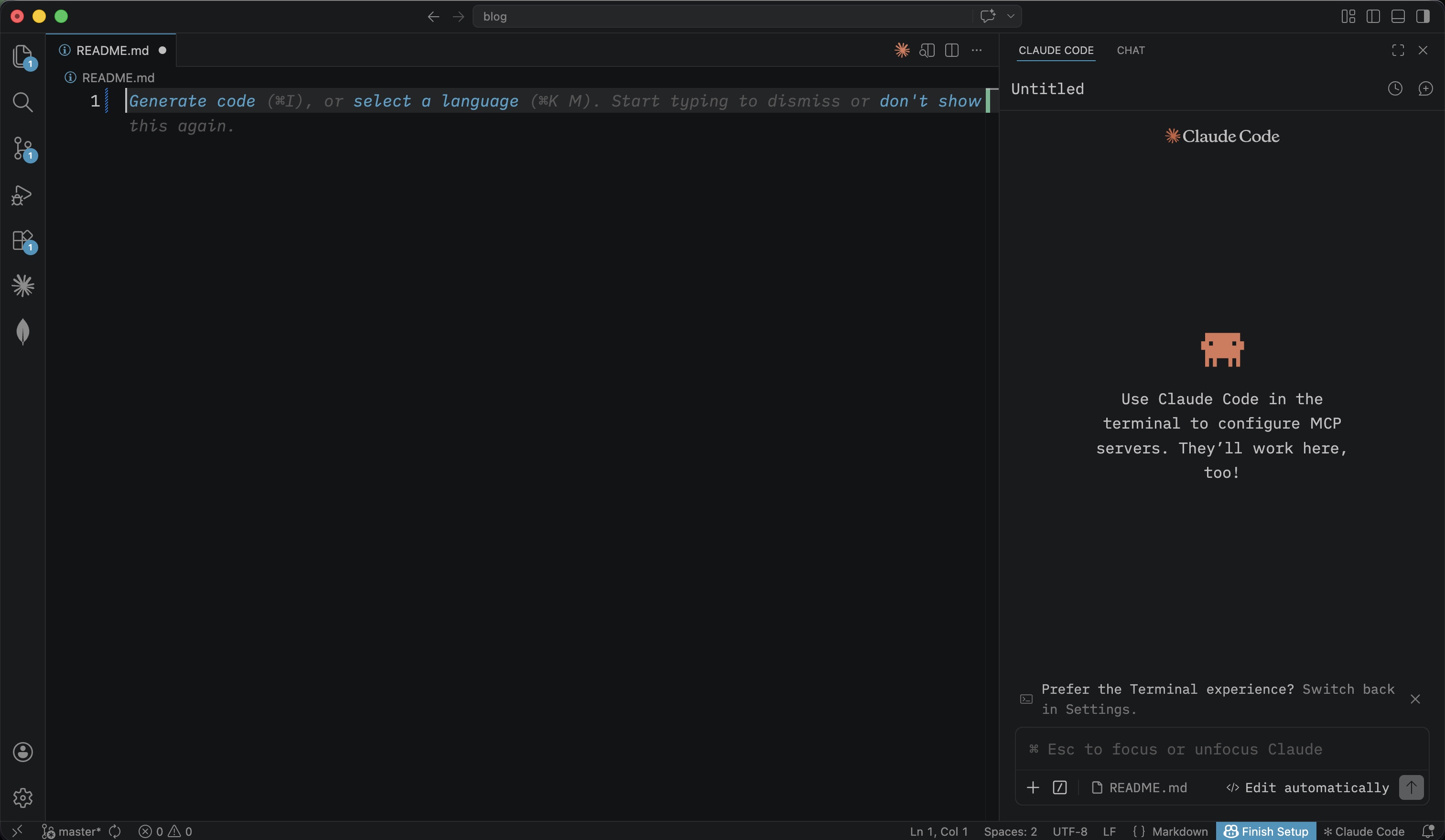
There are some existing Claude Code Obsidian plugins but they were pretty much wrappers over a terminal instance of CC. It worked, sort of, but my main gripe was that mouse interactions weren’t really possible.
I could of course use VS Code but it’s not built for reading and writing Markdown. I tried it for a few days but found myself switching back and forth with Obsidian, especially when I needed to read longer notes.
Best of both worlds solution
VS Code’s native Claude Code plugin has a really amazing user experience. An example: Claude’s inner thoughts are collapsed and expandable instead of cluttering up the screen.
To solve my problem, I’ve since built vibe-coded Clawbar, an Obsidian plugin that allows you to work with Claude in a native interface.
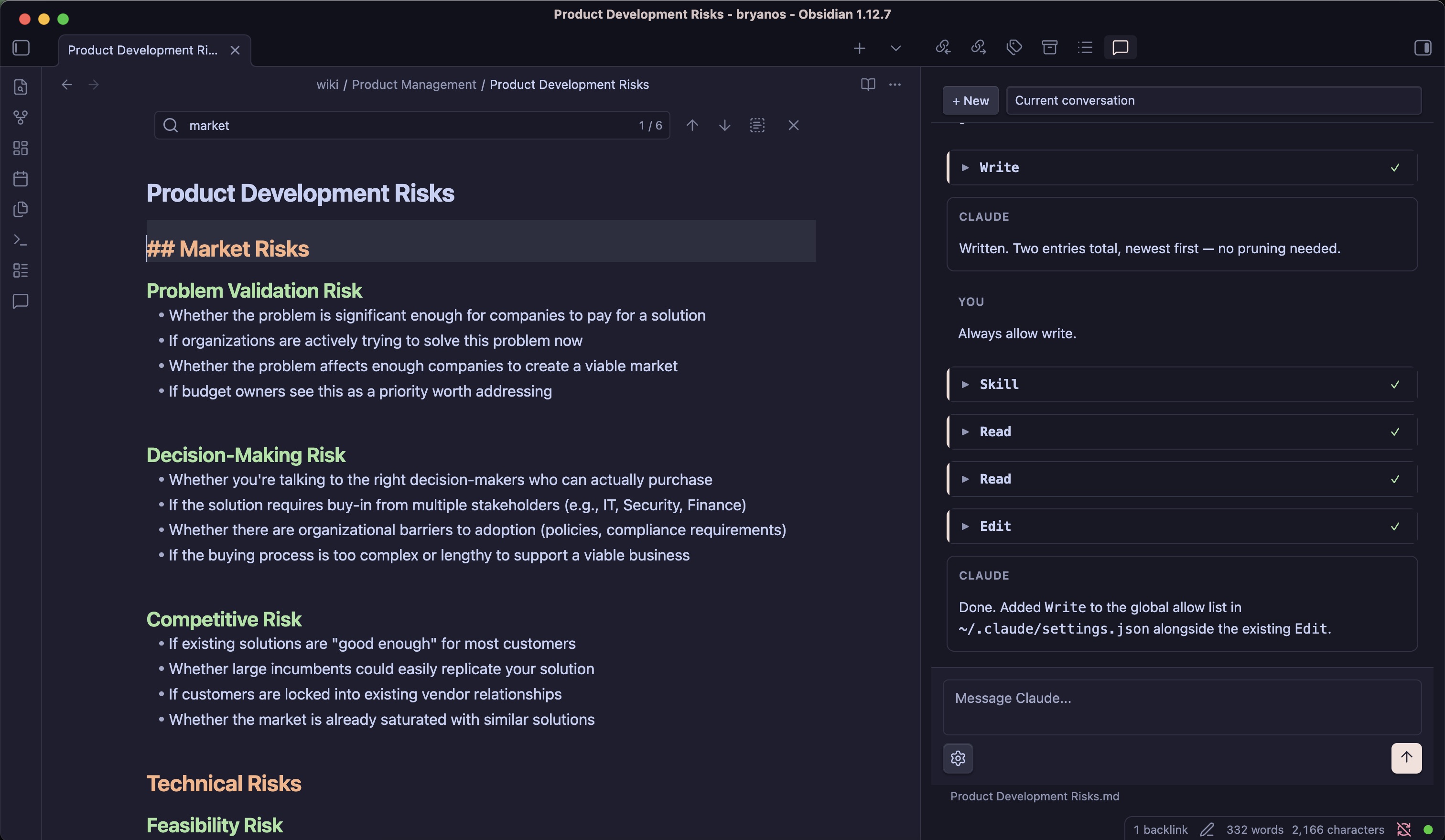
It also goes beyond a nicer UI, offering a few other features:
- Support for multiple Claude account switching
- Clawbar is aware of which note you have open, so you can ask questions like ‘summarize this’ or ‘find related notes’ without any copy-pasting.
- Claude’s tool calls and inner monologue are collapsed by default to keep the conversation readable.
- Proper markdown rendering of Claude’s responses
- Conversations persist across sessions, and you can also resume previous ones
Clawbar is open-source with MIT license and available to install from Github directly. As of now, it is still quite rough around the edges, and being a vibe-coded plugin, I’m hesitant about submitting it into the Obsidian marketplace.